

Inbox Placement, Sender Reputation, and Troubleshooting
Building reputation takes time: like opening a new restaurant, you have to establish trust with locals through good experiences.
The guiding principles to successful email engagement that you should remember are that you are having a conversation with your reader and that you should treat their attention with respect and not send them spam. In this blog, we examine email deliverability to help you understand the technical aspects and dispel some myths.
Email deliverability is about making sure your emails consistently land in your recipients’ inboxes and inspire genuine engagement. Delivery and deliverability are often conflated, but they answer different questions.
Delivery: Did the recipient’s mail server accept the email?
Deliverability: Did the email make it into the recipient’s actual inbox (rather than the spam or junk folder)?
Here’s a quick breakdown of the key terms you’ll come across about email deliverability:
| Term | What it Means in Practice |
| Sent | In TalkBox, this means the message was accepted by the recipient’s server. |
| Open | Recorded when tracking pixels or images load. It indicates the provider accepted the email, but it may still sit in spam, junk, or promotional tabs. |
| Inbox Placement | Where the recipient’s mailbox provider places an accepted email. Primary Inbox, Promotions, or Spam. TalkBox can’t measure this directly (it happens on the provider’s side), and it plays out differently across Gmail, Apple Mail, Outlook, and Yahoo. |
| Deliverability | Your overall ability to consistently reach your recipient’s primary inbox. Hinges on sender reputation, list quality, email content, engagement, and technical authentication. |
The 4 Gates Mailbox Providers Use to Assess Emails
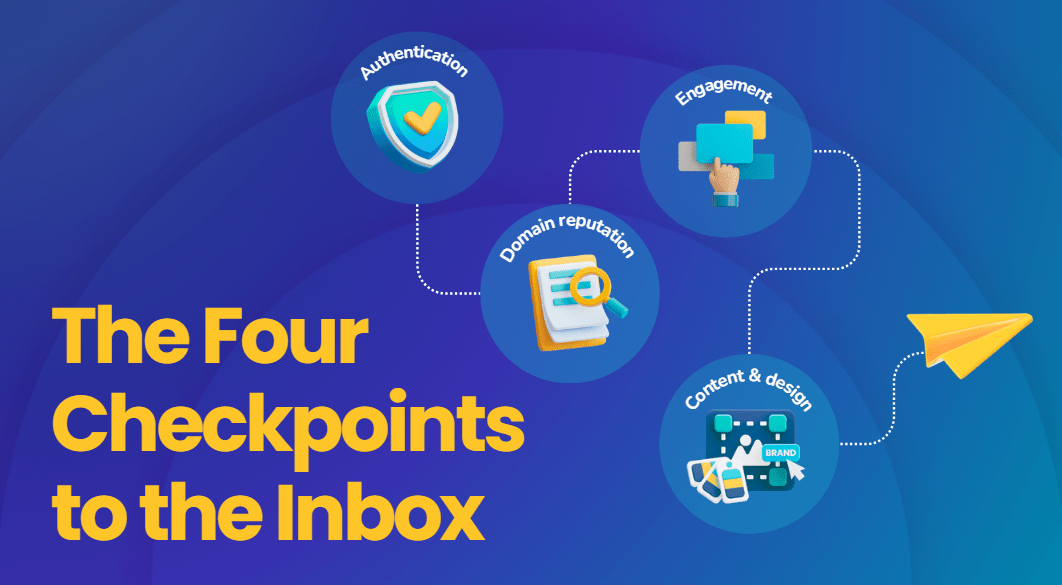
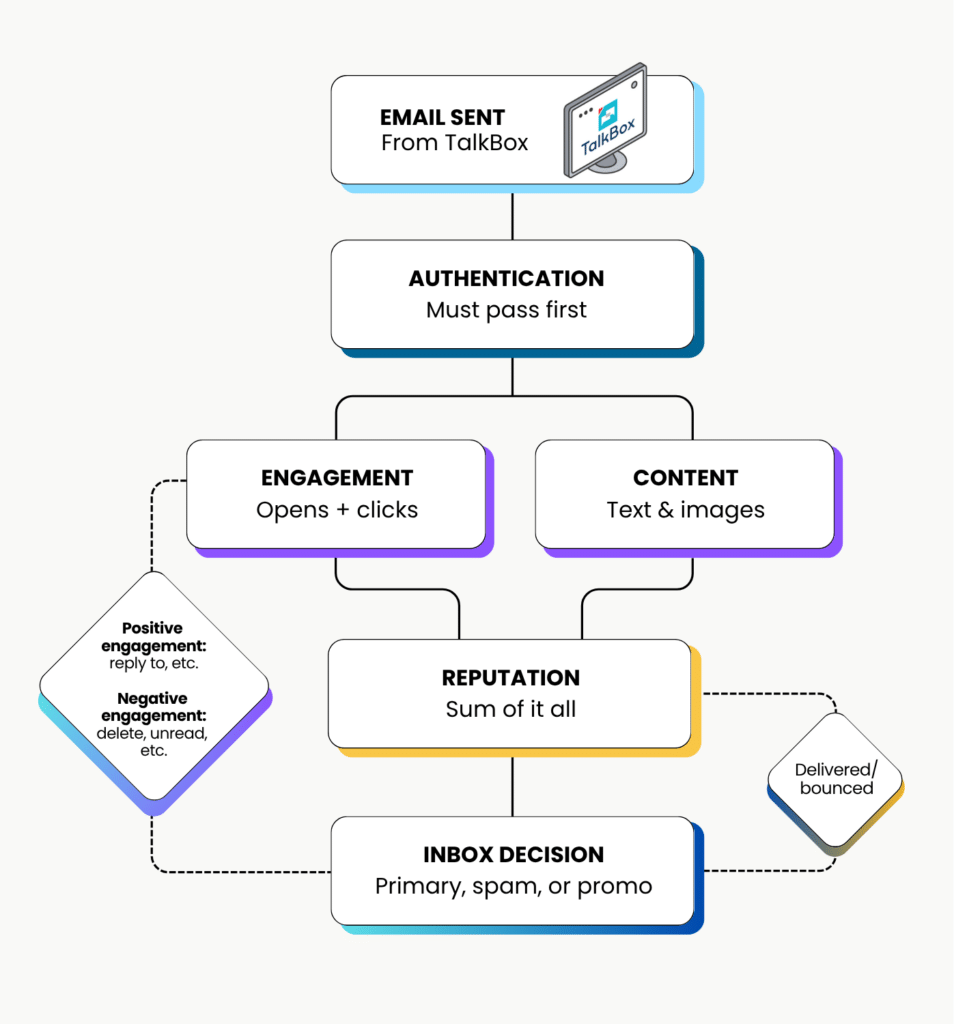
Mailbox providers like Gmail, Yahoo, and Outlook act as gatekeepers for the inbox. Before a message reaches a subscriber, providers evaluate every send through a four-stage sequence to filter out spam and prioritise high-value content. Every email follows the same path: it leaves your platform, then gets evaluated against these four checkpoints before a provider decides where it lands.
1. Authentication:
Mailbox providers check whether your email securely proves who sent it before deciding to let it through.
Domain verification relies on SPF, DKIM, and DMARC. Since 2024, providers strictly require these to prevent bulk email rejections.
Read: Notice regarding Google and Yahoo email changes – April 2024
2. Sender & Domain reputation:
Reputation is the score mailbox providers build about your domain over time; it isn’t one thing, it’s a sum of everything else on the list. Every send contributes to this score, either building it up or chipping away at it: clean authentication, engaged subscribers, a healthy list, and well-structured content all help, while bounces, complaints, and poor formatting hurt your sender and domain reputation.
Think of each send as an opportunity to build a stronger reputation!
Top Tip: Many marketers troubleshoot reputation last, but addressing it early yields the greatest long-term impact on inbox placement.
3. Engagement:
Mailbox providers actively track trends, such as how recipients interact with your messages, to determine whether your content is wanted or ignored.
- Positive Signals: Opening, clicking links, saving emails to folders, moving messages out of spam, and direct replies (which strongly boost domain authority).
- Negative Signals: High bounce rates, spam complaints, fast deletions without reading, or unread messages stacking up.
4. Email Design & Content Structure:
Spam filters analyse your email’s layout, code, and images to determine whether it looks like real, human-readable content or is high risk.
- Balance Text to Image ratio: Avoid image-heavy or image-only emails; spam filters cannot read images directly and may flag text wrapped inside flat graphics.
- Include Alt Text: Always add descriptive alternative text to images so screen readers and accessibility tools can interpret the visual signals.
- Clean HTML code: Ensure valid HTML code, include clear footers (with simple unsubscribe links), and avoid clickbait phrases or broken formatting.
Top Tip: Treat emails like a conversation with your reader rather than static printed flyers. Move away from mass “batch email blasts” toward audience segmentation and tailored messaging.
Read: Our best advice for creating communications with impact
Measuring Real Success: Opens vs. Clicks
It’s natural to look at open rates as the main indicator of email performance, but relying on open rates alone can give you an incomplete or even misleading picture of how well your campaigns are performing.
Have you wondered why opens are starting to drop now when they didn’t before? It comes down to changes in privacy technology and reporting accuracy. These changes include:
- Privacy Protections: Features like Apple Mail Privacy Protection (MPP) download tracking pixels automatically in the background before a human ever views the email. This would artificially inflate open rates in past years.
- Image Caching & Blocking: Conversely, if a mail client blocks automatic image downloads, a customer might read your email line-by-line, but because the tracking pixel was blocked, it records as 0% opens
- Bot Filtering: Modern platforms actively filter out automated security scans and machine loads so you see real human activity rather than artificial inflation.
It’s because of these technical shifts that open rates should be viewed as an estimate rather than a direct measurement of customer interest.
Why Clicks Matter For Measuring Success?
Why do clicks matter? Because they drive action; that’s the primary reason to care about them. A click means a real decision was made and a reader knew exactly what to do next: ‘to book a table’, ‘view a menu’, or ‘claim an offer ’. If a CTA gets clicks, that’s your proof it worked, and the reader understood what to do.
High click-through rates provide undeniable proof to both you and mailbox providers that your content was relevant, your audience was engaged, and your call-to-action worked!
What Happens When You Change Email Providers?
When moving to a new communication platform like TalkBox, it is common to ask: “Why did my metrics change after switching? Was my old system better?” Understanding how mailbox providers respond to platform changes is valuable for setting realistic goals and expectations during transitions.
Building reputation takes time: like opening a new restaurant, you have to establish trust with locals through good experiences.
Switching email providers is like opening a new location in a different neighbourhood. Even with a 10 year reputation, local and neighbouring businesses don’t recognise the new setup yet; you have to establish trust from the ground up
How to Build Reputation on a New Platform
Start your journey by connecting with your most engaged and active subscribers. Avoid sending a communication to your entire database on day one; focus on building meaningful relationships with those who truly matter.
High click rates and positive feedback on your early emails indicate to Gmail and Outlook that your new sending route is legitimate, speeding up the process of building your domain reputation.
Optimise Your Reply -To Address for Domain Authority
Your Reply-To configuration is one of the simplest yet most effective tools for boosting sender authority.
Receiving servers view direct customer replies as one of the ultimate indicators that your emails are wanted.
When a recipient replies to your message, their mail client often adds your address to their personal contacts or trusted senders list, helping future campaigns go straight to their Primary Inbox.
Setting your Reply-To to direct responses to a specific operational email (such as reservations@yourvenue.com or a support ticketing platform) does not break technical SPF, DKIM, or DMARC authentication. Authentication protocols strictly evaluate the domain in your visible From field. As long as your brand domain is properly authenticated, your Reply-To field can be routed wherever your team manages customer replies.
Top Tip: Ditch ‘noreply@’ and Optimise your Reply-To. Using an active, monitored address encourages direct conversation. Mailbox providers view incoming email replies as one of the ultimate trust signals, which enhances your sender reputation.
Your Role as a Sender
While TalkBox provides the tools, templates, and analytics required to execute effective campaigns, you have the power to actively drive engagement with relevant, compelling content.
Inbox placement depends on factors you control, such as understanding your customer segments, sending targeted messages, and utilising call-to-actions that encourage clicks and replies.
Quick Benchmarks:
| Metric | Healthy | Poor |
| Delivery Rate | 97% | Below 95% |
| Inbox placement | 90% | Below 80% |
| Bounce rate | Under 2% | Above 2% |
| Unsubscribe rate | Under 0.1% | Above 1% |
| Click-through rate | 2 – 5% | Below 2% |
Frequently Asked Questions:
Q. How are open rates calculated?
Open rates are recorded via a standard tracking pixel. Due to automatic image caching (like Apple Mail Privacy Protection), open rates should be viewed as an estimate rather than an exact reflection of engagement.
Q. Why is click-through rate more important?
Clicks require a deliberate action from the recipient, providing clear proof that your content was relevant and your call-to-action was effective.
Q. Does switching email providers affect metrics?
Switching communication providers can cause temporary metric fluctuations while receiving servers adapt to the new IP and domain signatures. Building trust with mailbox providers functions much like a local business: providing consistently positive experiences creates long-term trust.
Q. Does using a different Reply-To domain break SPF, DKIM, or DMARC?
Because the Reply-To address is purely a routing instruction for mail clients when a user hits “Reply,” it plays no role in technical DMARC checks.
Email authentication protocols only check the From header and the hidden technical headers (such as Return-Path or DKIM-Signature). DMARC alignment strictly verifies that the domain in the visible From field matches the domains verified by SPF or DKIM.
Q. What are best practices for setting up Reply-To addresses?
Ensure the domain in the Reply-To field clearly aligns with your core brand, so recipients recognise it immediately. Never use a free provider (e.g., @gmail.com or @yahoo.com) for commercial broadcasts.
Further reading:
- Google Postmaster Tools (Domain Reputation Setup): https://support.google.com/a/answer/9981691
- How to promote strategic engagement in your email program: https://www.mailgun.com/blog/deliverability/promote-strategic-email-engagement/
- Reply-to address: best practices and impact on deliverability: https://www.badsender.com/en/2021/02/10/dialogue-with-your-return-address-to-boost-your-reputation/
- Does using different domains in From and Reply-To email addresses affect deliverability?: https://www.suped.com/learn/email-deliverability/does-using-different-domains-in-from-and-reply-to-email-addresses-affect-deliverability
- How To Check If An Email Is Valid In 2026: https://verified.email/blog/email-verification/how-to-check-if-an-email-is-valid
